Running gameMade by @scottstts
Jelly Baby
Steer a wobbly jelly round a table with arrow keys or touch. Not a smash toy.
No ads in playTouchSoundsNo sign-upNo parent lock
Opens jelly.scottsun.io in a new tab. It is their site, not ours; we only link to it and review it. Nothing is embedded here and no ads of ours will appear there.
- Ages3 to 6 years; toddlers can poke and drag it on a tablet
- PriceFree
- PlatformsWeb browser
- Last checkedSeptember 12, 2026
What it is like
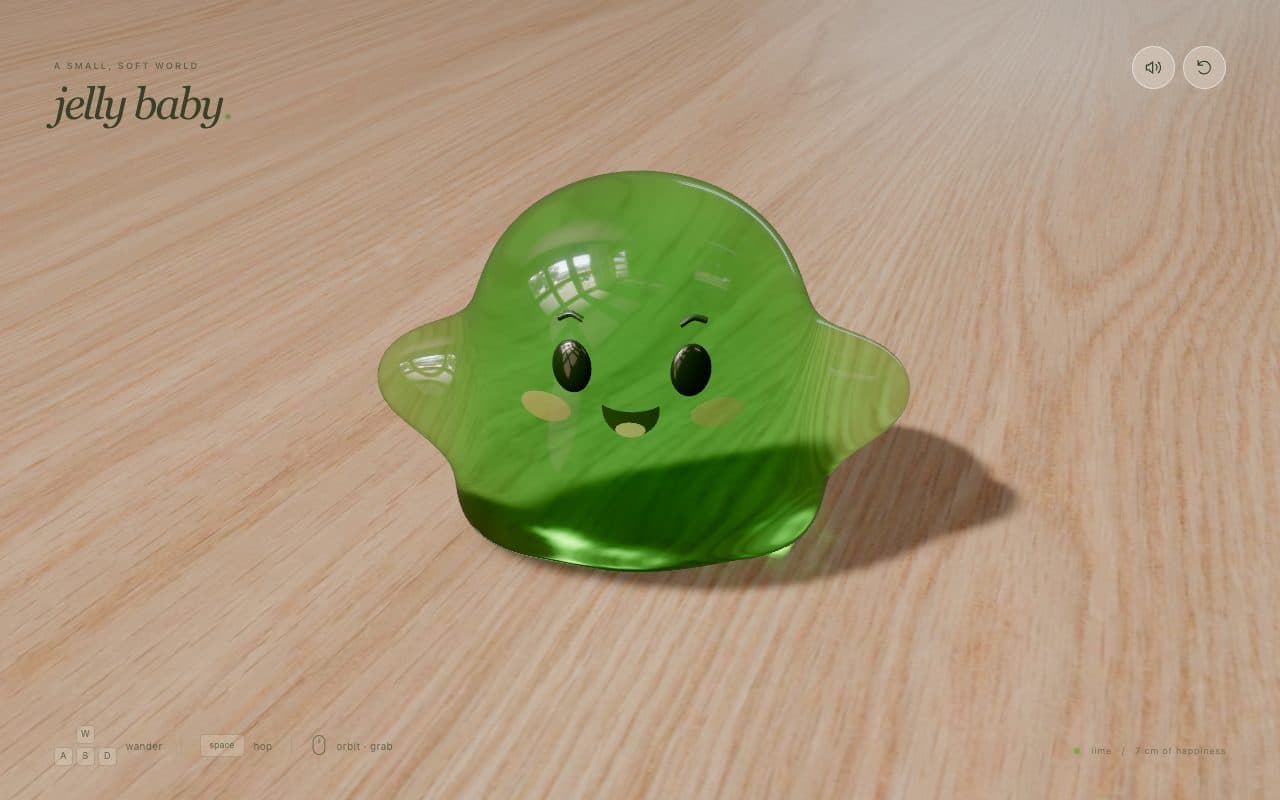
Jelly Baby is a small 3D physics toy from an independent developer. A see-through green jelly with a little face sits on a wooden table; a child wanders it about with W, A, S, D or the arrow keys, hops with the space bar, and can grab it with the mouse to stretch and fling it, while dragging the table spins the camera round. On a phone or tablet an arrow pad and a hop button appear instead. This is not a keyboard smash game: hammering random keys mostly jiggles it about, and the R key resets it, so it suits a child who has started to understand that one key means one direction. It is free, with no ads, accounts or tracking, and the source code is public on GitHub. It needs a recent browser with WebGPU; we played it in Chrome, and a browser without WebGPU gets a polite error card instead of the game.
What we liked
- Real controls: W, A, S, D or arrow keys to wander, space to hop, mouse or finger to grab and stretch
- An arrow pad and hop button appear on phones and tablets
- Free, with no ads, accounts or tracking, and the source code is public on GitHub
- Mute and reset buttons for a grown-up (R resets too)
What to know
- Not a smash toy: random hammering mostly jiggles it, and the R key resets it
- Needs a WebGPU browser; older browsers or devices show an error card instead of the game
- No fullscreen button or parent lock, so the browser bar stays within reach
Verdict
A lovely little physics toy for children who can steer. Not for smashing.
Best for: A preschooler ready to steer with arrow keys, or a toddler poking a jelly on a tablet.
Feature check
- FullscreenNo. Fills the screen so browser buttons are out of reach.
- Parent lockNo. Leaving needs a deliberate action a toddler will not stumble on.
- No ads in playYes. We saw no advertising on the play screen.
- TouchYes. Works by tapping on phones and tablets.
- SoundsYes. Makes a sound on each press.
- Letters & numbersNo. Shows the letter or number that was pressed.
- Works offlineNo. Keeps working without a connection once loaded.
- No sign-upYes. Nothing to register for or log in to.