Keyboard smash
Smashing Board
Pick letters, numbers, animals, fruits or languages, then smash away.
Parent lockNo ads in playTouchSoundsLetters & numbers
Opens smashingboard.com in a new tab. It is their site, not ours; we only link to it and review it. Nothing is embedded here and no ads of ours will appear there.
- Ages1 to 4 years
- PriceFree
- PlatformsWeb browser
- Last checkedSeptember 5, 2026
What it is like
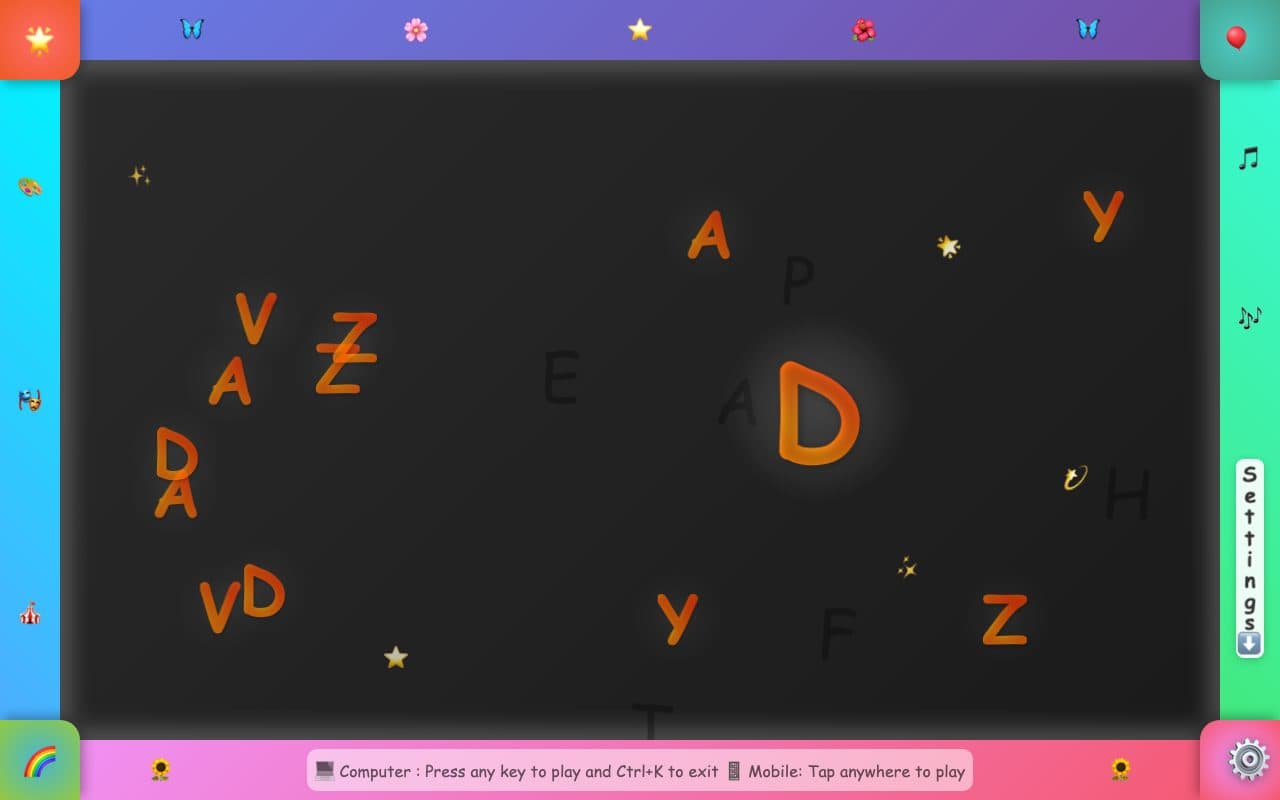
Smashing Board asks a grown-up to choose a content pack first (letters, numbers, animals, fruits or a second language) and then turns every key into a big bouncing character with a sound. Leaving needs Ctrl+K on a computer, so a toddler will not exit by accident, and phones and tablets play by tapping. A settings drawer has a mute switch. The colourful frame around the play area is a bit busy, but the variety is the widest of any site here.
What we liked
- Five content packs: letters, numbers, animals, fruits and languages
- Exit needs Ctrl+K, so random smashing will not close it
- Mute button and a small settings panel
- Works on phones and tablets by tapping
- No trackers seen
What to know
- Does not go fullscreen on its own; use the browser's own fullscreen (F11, or View > Enter Full Screen)
- The bright frame around the play area can pull attention away from the middle
Verdict
The most variety per visit; a good second site to rotate in.
Best for: Toddlers who have outgrown pure confetti.
Feature check
- FullscreenNot verified. Fills the screen so browser buttons are out of reach.
- Parent lockYes. Leaving needs a deliberate action a toddler will not stumble on.
- No ads in playYes. We saw no advertising on the play screen.
- TouchYes. Works by tapping on phones and tablets.
- SoundsYes. Makes a sound on each press.
- Letters & numbersYes. Shows the letter or number that was pressed.
- Works offlineNot verified. Keeps working without a connection once loaded.
- No sign-upYes. Nothing to register for or log in to.