Keyboard smash
TypeChars
Calm keyboard play with letters and numbers, six scenes and no tracking at all.
FullscreenParent lockNo ads in playSoundsLetters & numbers
Opens typechars.com in a new tab. It is their site, not ours; we only link to it and review it. Nothing is embedded here and no ads of ours will appear there.
- Ages2 to 4 years
- PriceFree
- PlatformsWeb browser
- Last checkedSeptember 5, 2026
What it is like
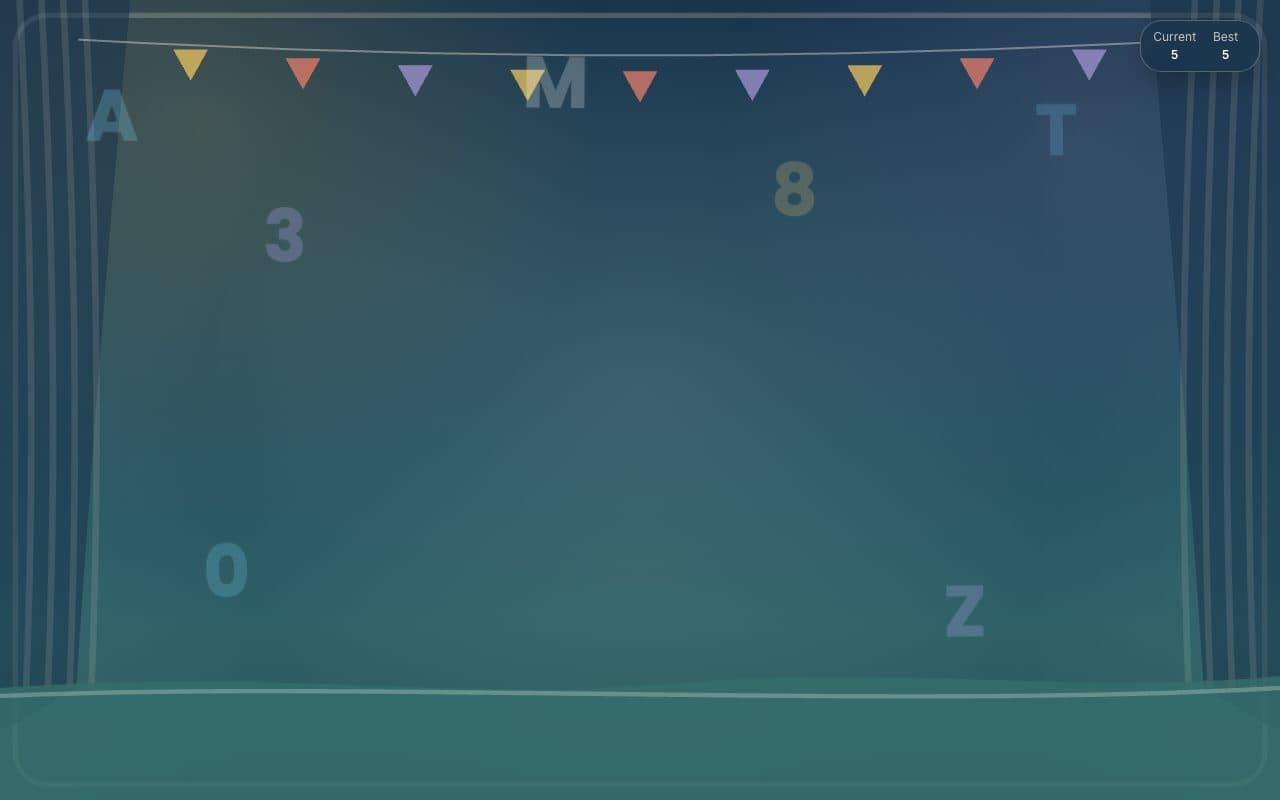
TypeChars is the quiet one. Instead of confetti, each key floats up as the letter or number that was pressed, on a stage with bunting or in one of five other scenes. The site states it has no ads, no accounts and no analytics, and we found no trackers when we looked. Parent controls are hidden the same way TinyFingers hides them: hold the top-left corner or type "parent". There is also a mobile app, TapChars, for the same idea on a phone.
What we liked
- No ads, no accounts and no analytics (the site says so, and we saw no trackers)
- Six scenes, from a theatre stage to quieter backdrops
- Hidden parent controls: hold the top-left corner or type "parent"
- Shows the letters and numbers as they are typed, which older toddlers start to notice
What to know
- Designed around a physical keyboard; touch is secondary
- The calm style is less thrilling for a one-year-old than the confetti sites
Verdict
The best pick once a child moves from smashing to spotting letters.
Best for: Two- and three-year-olds who are starting to notice letters.
Feature check
- FullscreenYes. Fills the screen so browser buttons are out of reach.
- Parent lockYes. Leaving needs a deliberate action a toddler will not stumble on.
- No ads in playYes. We saw no advertising on the play screen.
- TouchNot verified. Works by tapping on phones and tablets.
- SoundsYes. Makes a sound on each press.
- Letters & numbersYes. Shows the letter or number that was pressed.
- Works offlineNot verified. Keeps working without a connection once loaded.
- No sign-upYes. Nothing to register for or log in to.